In June and July, we added proposals to Project Radar, gave AI Scout a clear candidate workflow, and brought invoices and offers into a single section.
We also added a Needs Revision stage to the task flow and made invoices and offers easier to navigate.
Proposals, Now Built into Project Radar
Who It’s For: Freelancers
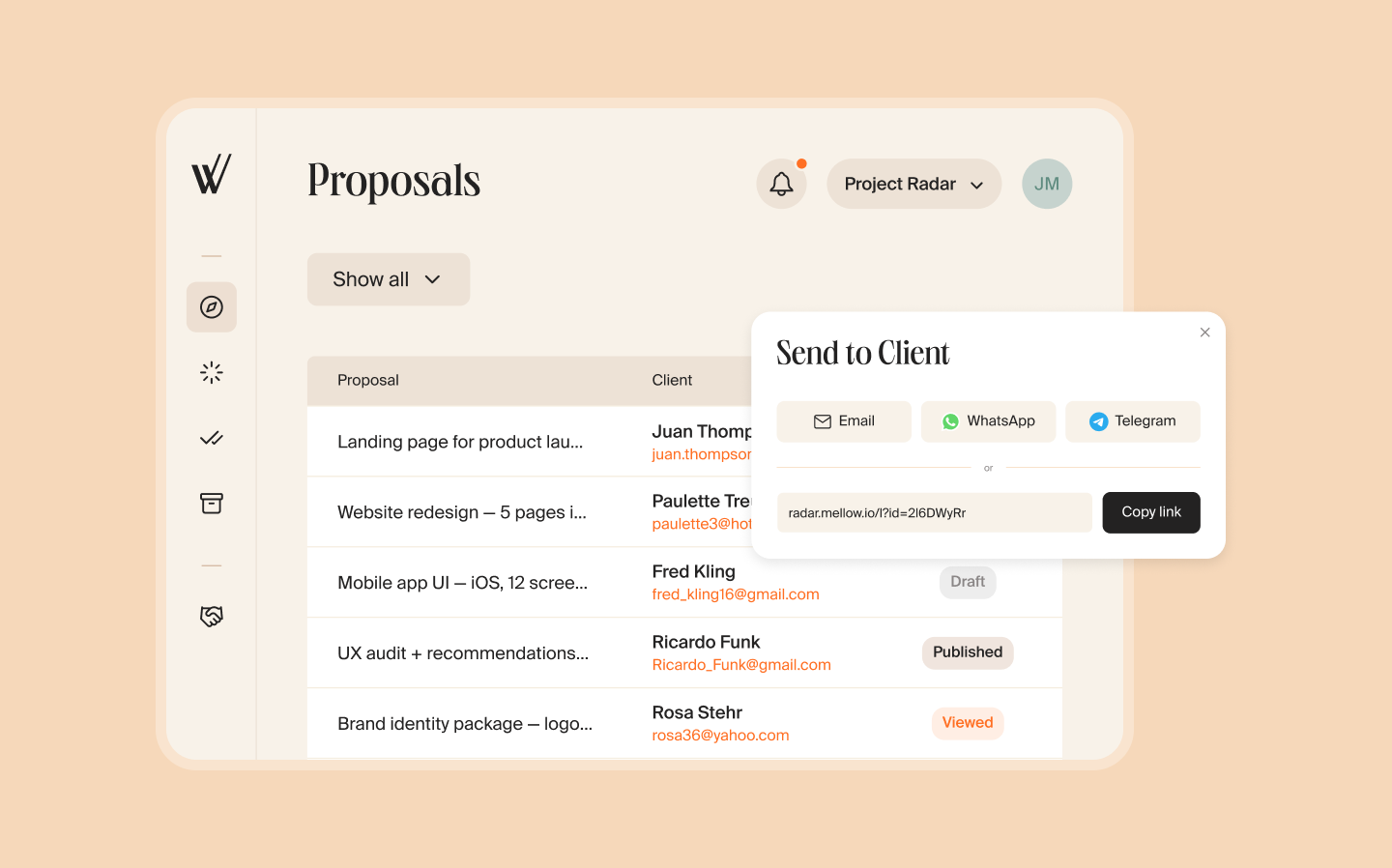
Previously, after talking to a potential client, you had to prepare a proposal separately — by hand or with AI. Now you can create one directly from the project card in Project Radar.
The title, services, scope, and amounts are pulled automatically from the project description. Add any missing details by answering the chatbot’s questions, or edit the fields directly in the document if needed.
The client receives a link and can open the proposal without registering. On the page, they can accept the terms or suggest changes. You can track the proposal status in your account, and once it is accepted, the project card gives you the option to create an invoice.
Create and send proposals from Project Radar
That’s not all for Project Radar: the service now hides projects with a low Match Score, leaving only the best-fitting opportunities in your feed.
Project Radar posted solid mid-summer results compared with the start of the season:
nearly three times as many freelancers signed up for Project Radar;
the number of active users more than tripled;
nearly six times as many freelancers received at least one response;
the share of applications under review grew by nearly a third;
the share of confirmed applications rose by more than 70%.
From Application to Offer in AI Scout
Who It’s For: Businesses
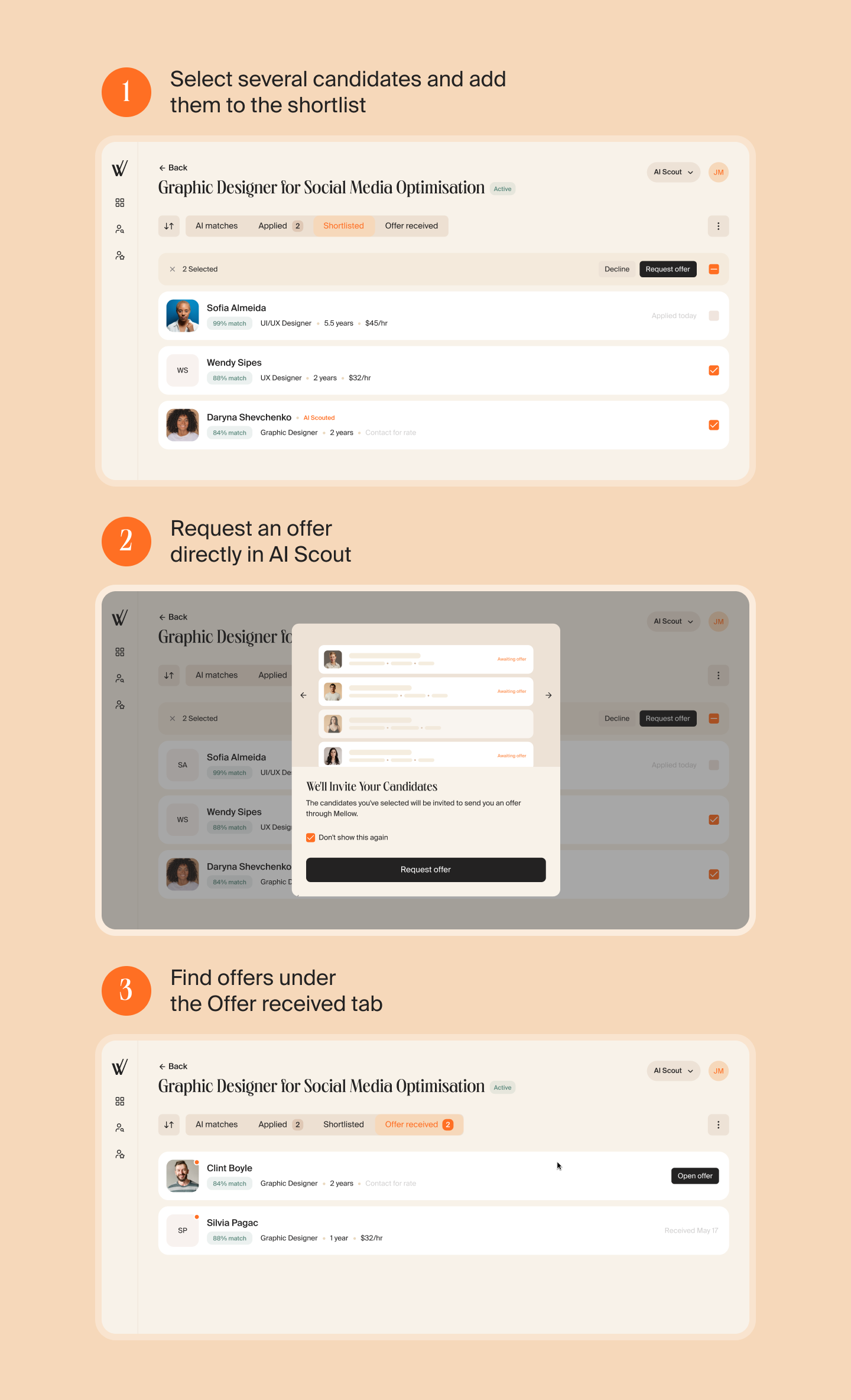
AI Scout now gives every candidate a clear path: all matches, applicants, the shortlist, and offers received.
We made it faster to handle large numbers of applications: select several candidates at once, then decline them, add them to the shortlist, or request an offer in a single action.
Once you agree on an offer, you can continue working with the contractor in Mellow through Contractor of Record (CoR).
Invoices and Offers, Together in One Section
Who It’s For: Freelancers
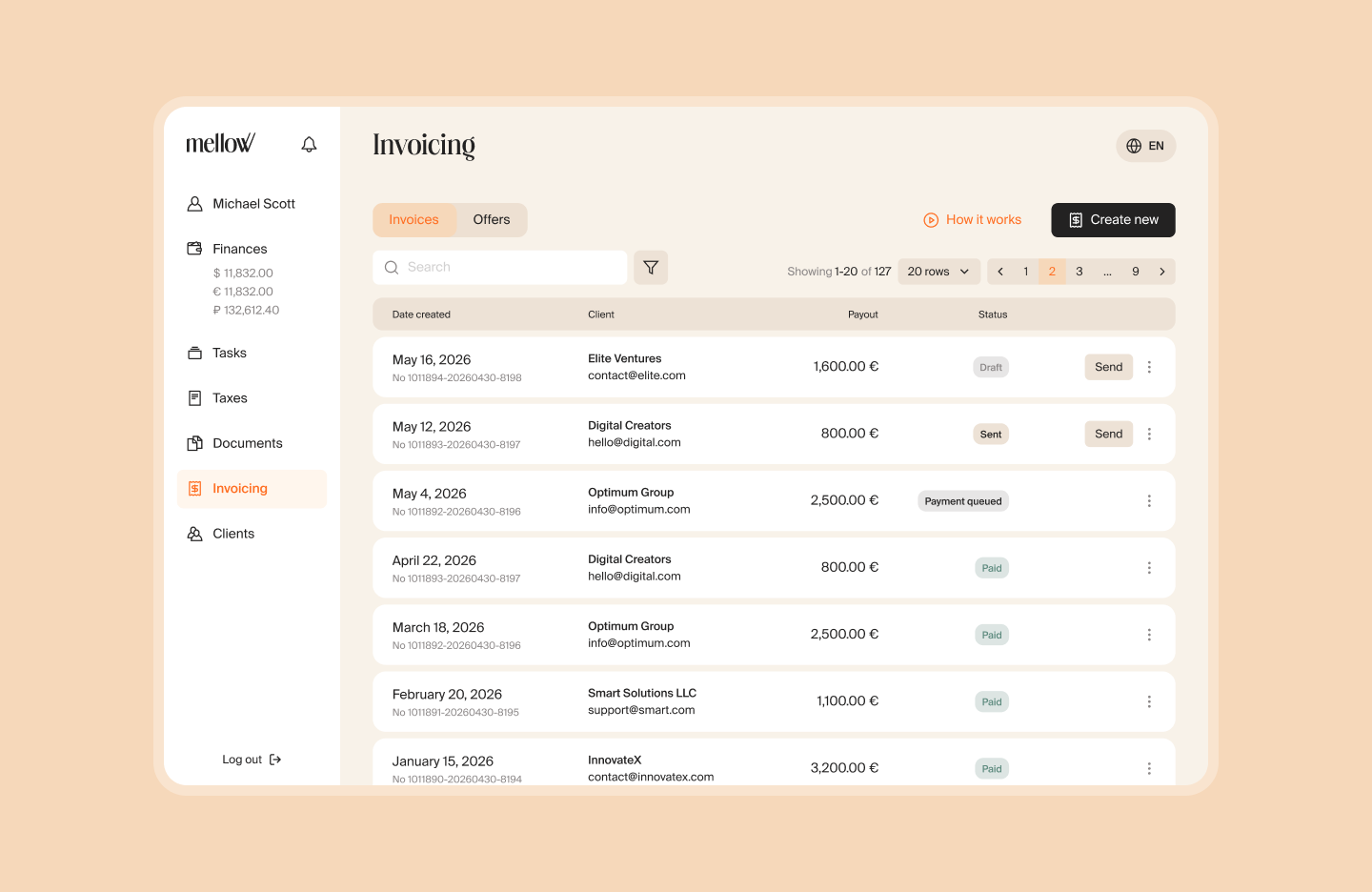
An invoice is for work that has already been completed: the freelancer issues it, and the client pays. An offer is for upcoming work: both sides agree on the scope and price in advance, the client pays upfront, and the freelancer receives the money after completing the task.
Previously, these workflows started in different sections, and users did not always know which option to choose. Now invoices and offers are both in the Invoicing section. After selecting Request payment, choose the right workflow — for completed or upcoming work.
The Invoicing section is in the left-hand menu
We also updated verification for clients paying an invoice for the first time. Before downloading the document, they now follow a clearer verification flow, while statuses and notifications make the next step easy to track.
The average time from sending an invoice to receiving payment fell by about a third.
New Task Stage: Needs Revision
Who It’s For: Businesses and Freelancers
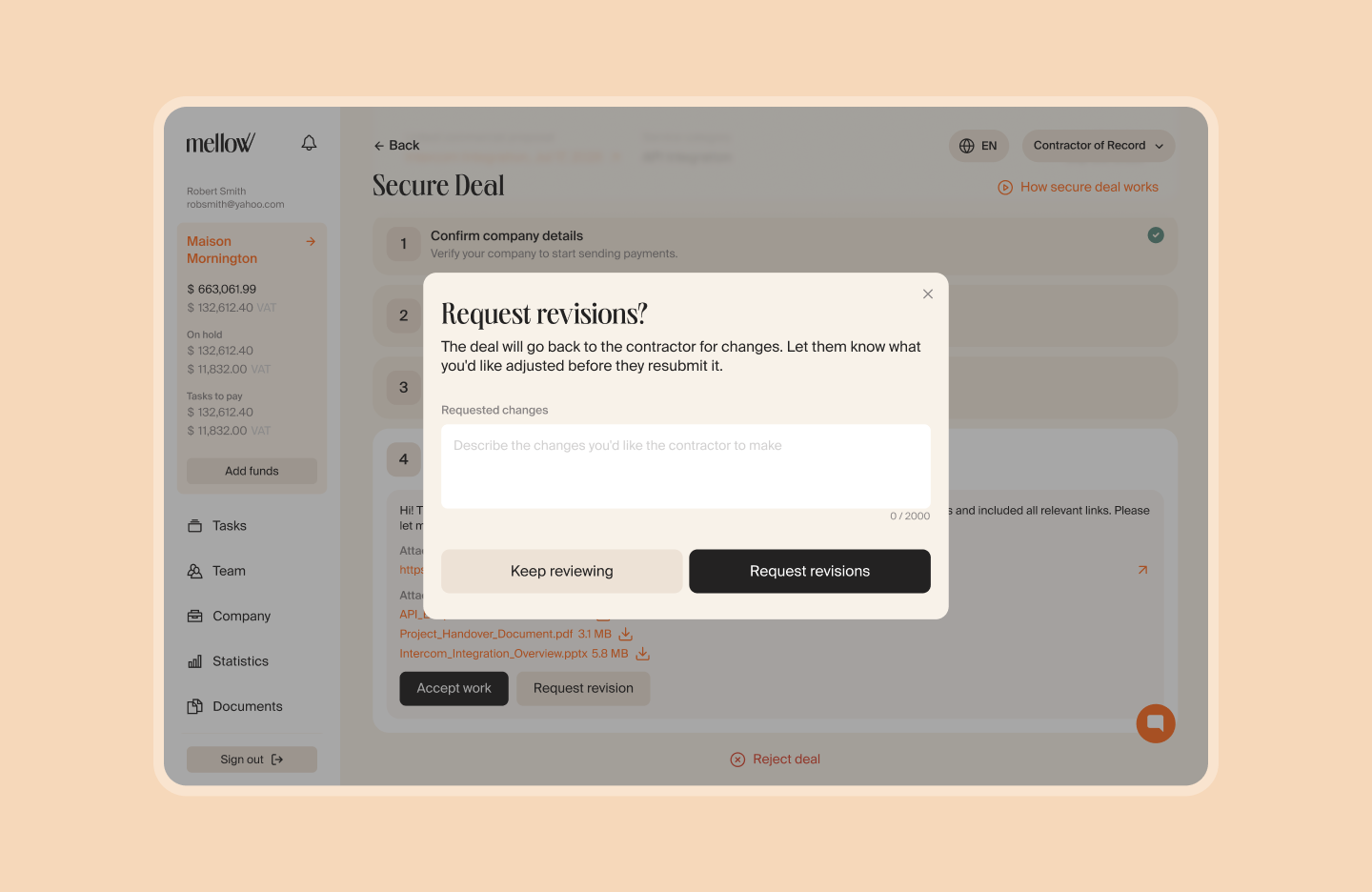
If a task result needs changes, the business can return it with the Needs Revision status and explain what to fix. The freelancer immediately sees the new status and comment, makes the changes, and resubmits the result.
An Updated Service List
Who It’s For: Businesses
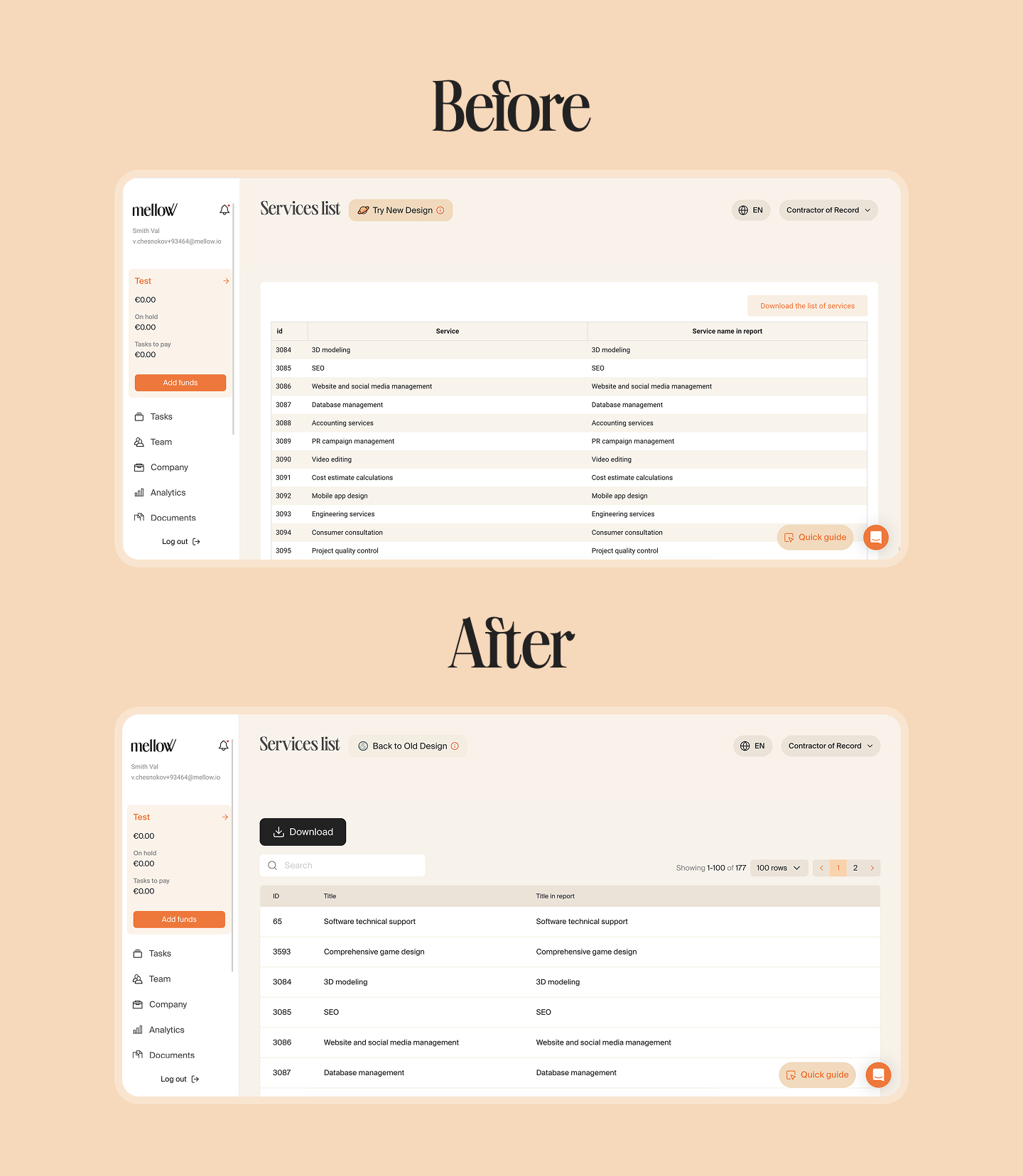
We redesigned the service list with a clearer structure and added search. Now it is easier to find the right service, even in a long list.
Other Updates
Mellow MCP and an AI Assistant in the API
We updated the Mellow API documentation: you can now ask the Ask AI assistant questions right there. The documentation also includes a new Mellow MCP section. You can now connect Mellow to AI agents!
A Shorter Sign-Up
We removed optional questions about the user’s role and reason for using the product. New users can now get to their account faster.
Accurate US Sales Tax
For US businesses, we added operating address collection and validation. This helps calculate sales tax correctly when processing documents and payments.
LinkedIn as a Candidate Source
We added LinkedIn as a candidate data source in AI Scout Match. Search now covers more profiles, giving businesses a broader choice of specialists.
More Reliable Request Handling in AI Scout
We increased the input text limit fivefold. The system also handles subcontractor information and incomplete fields more reliably and blocks attempts to override its instructions through a request.